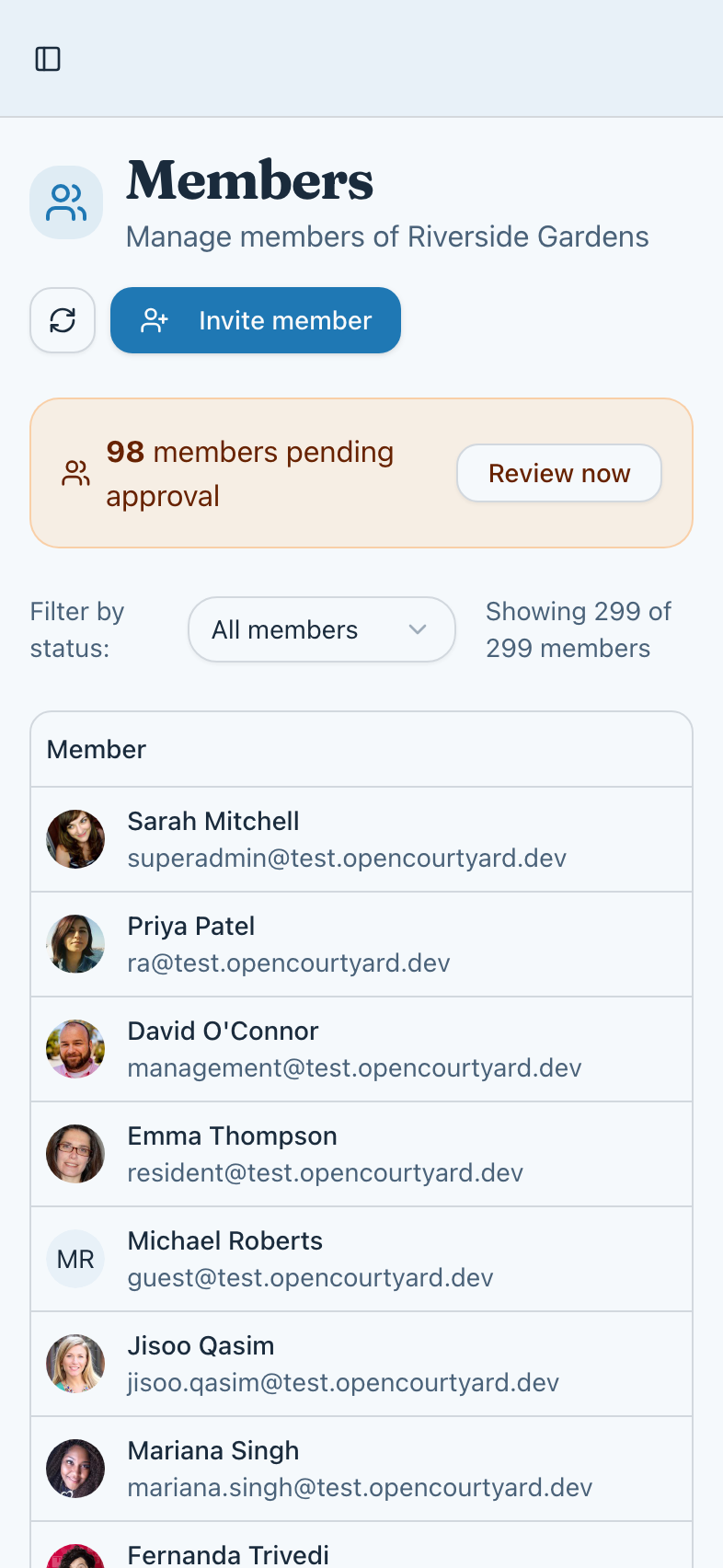
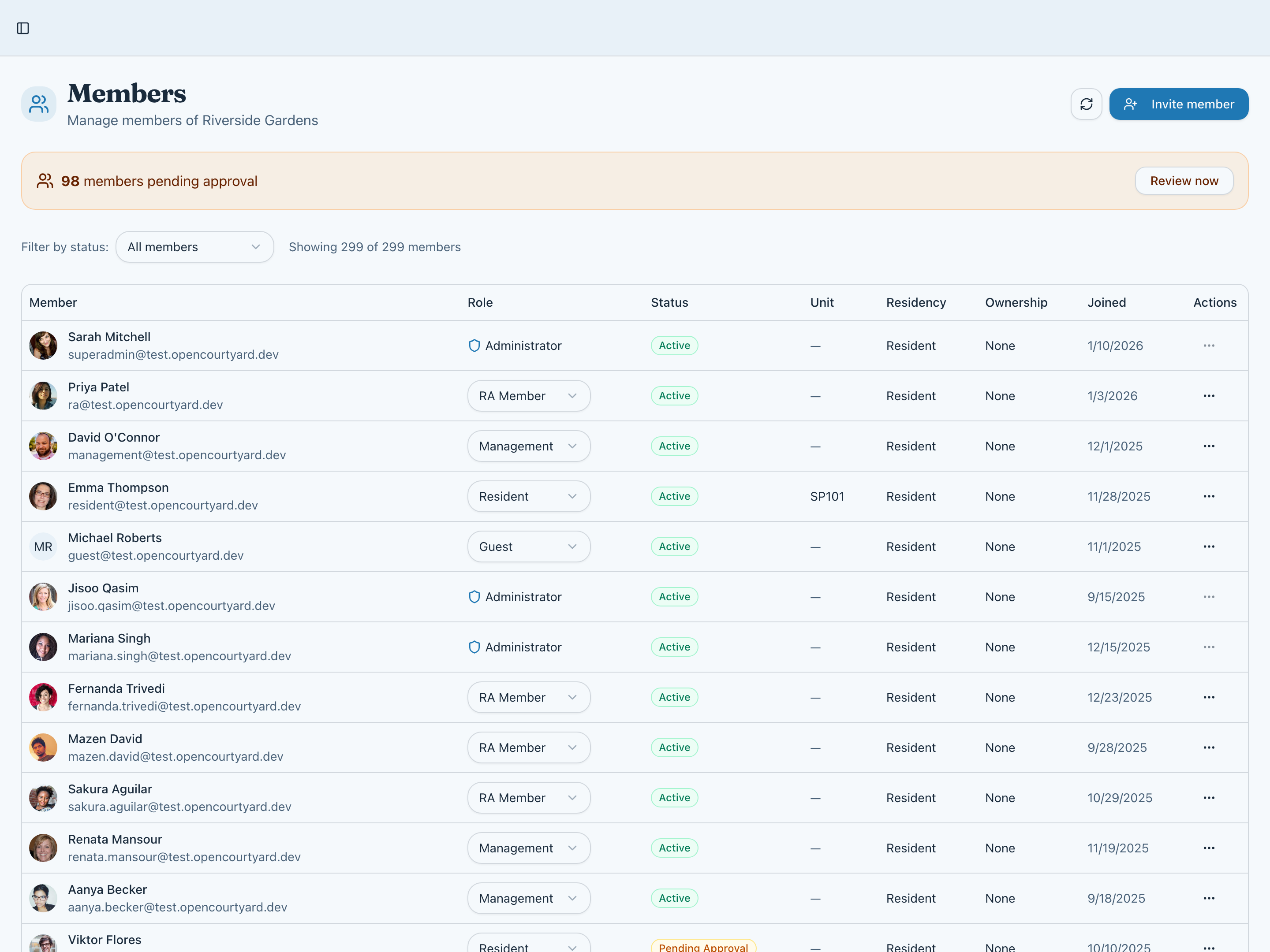
Member management made simple
See all your residents in one place, pending people first. Approve new requests, update roles, and manage access—all from a single, intuitive interface.
- View all members with status and role
- Approve, reject, suspend, or remove
- Filter members by status
Flexible onboarding options
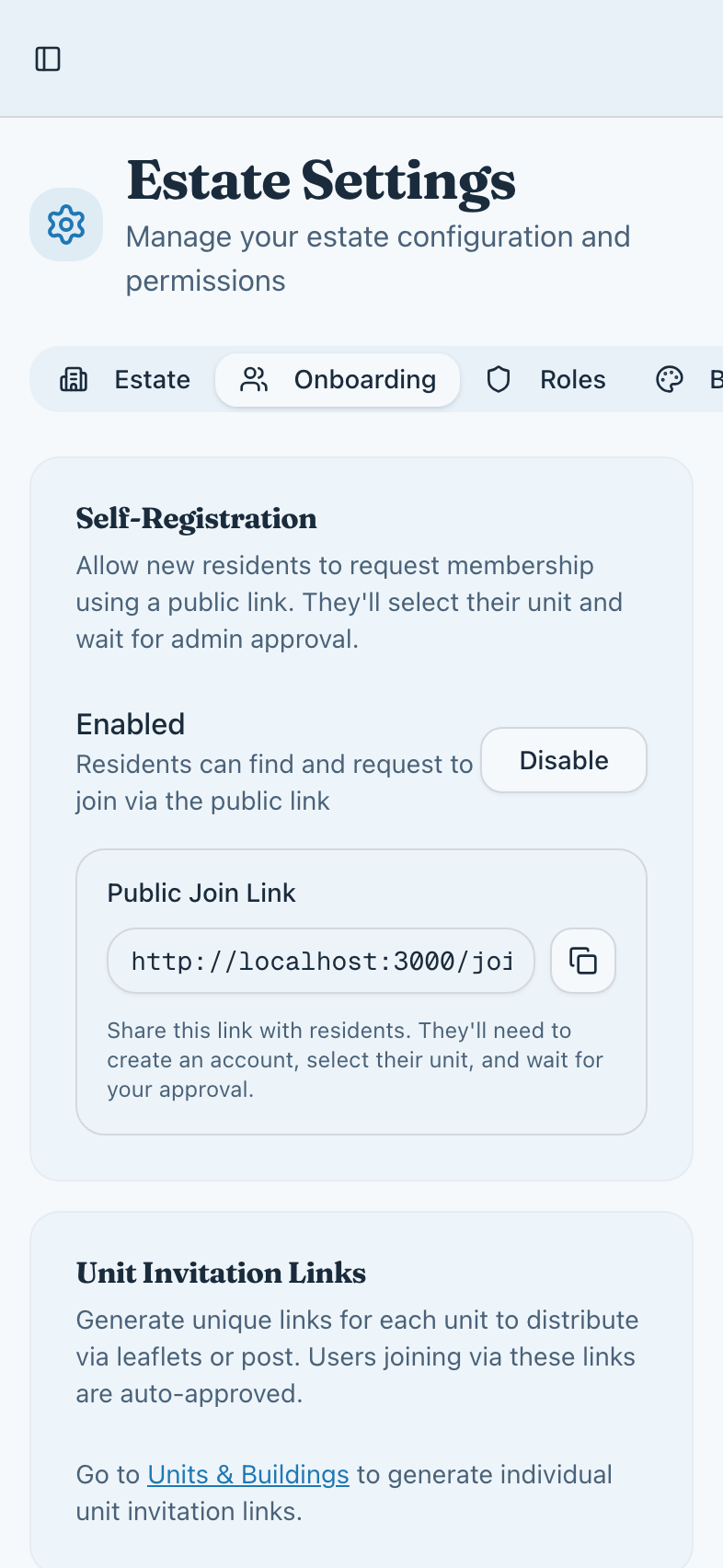
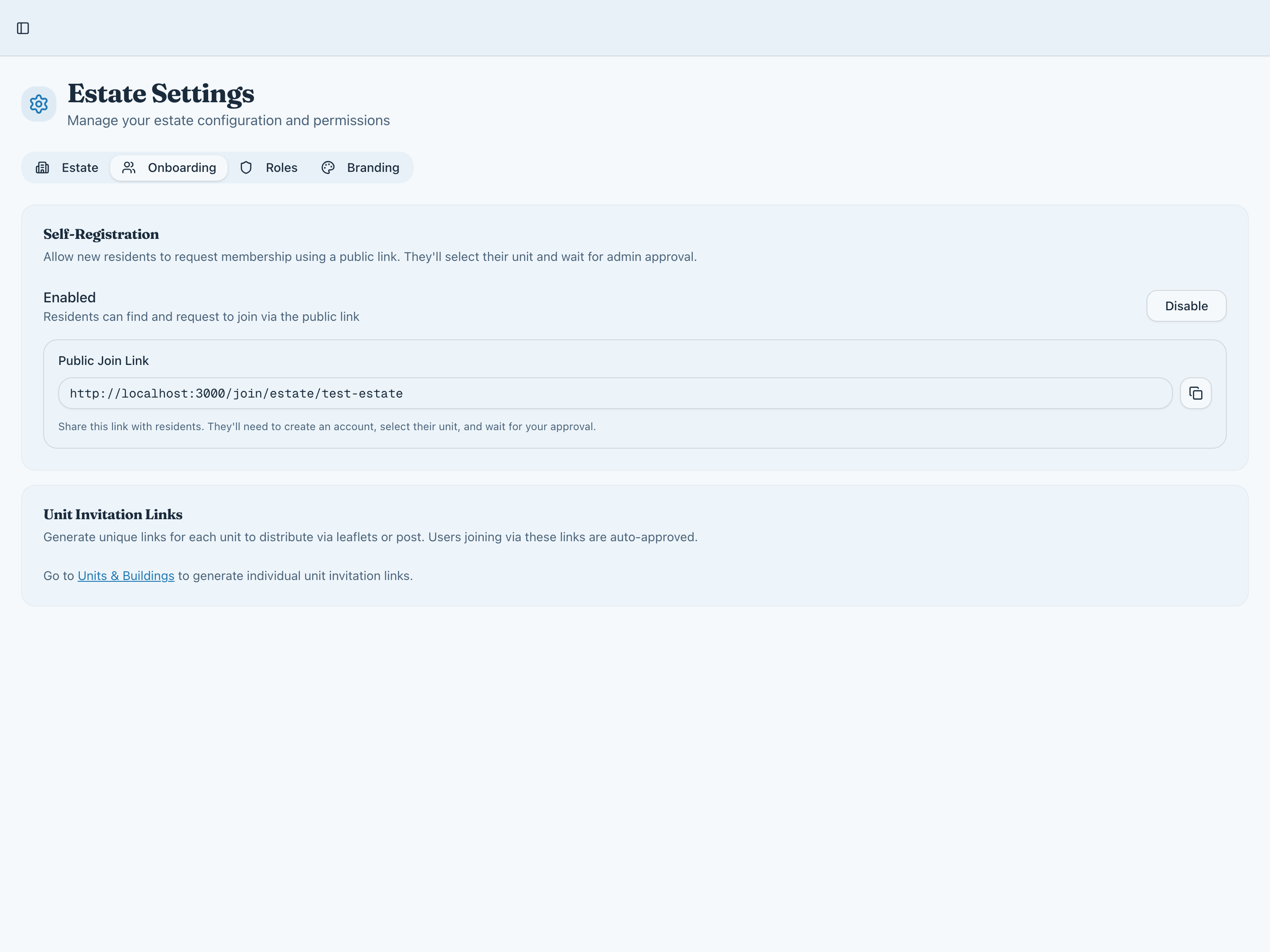
Different communities need different approaches. Use direct unit invitations for controlled access, or open registration with approval for easier onboarding. You're in control.
- Unit-specific invitation links
- Estate-wide registration portal
- Approval workflow for new requests
- A unit invitation assigns the unit for you
Roles that fit your structure
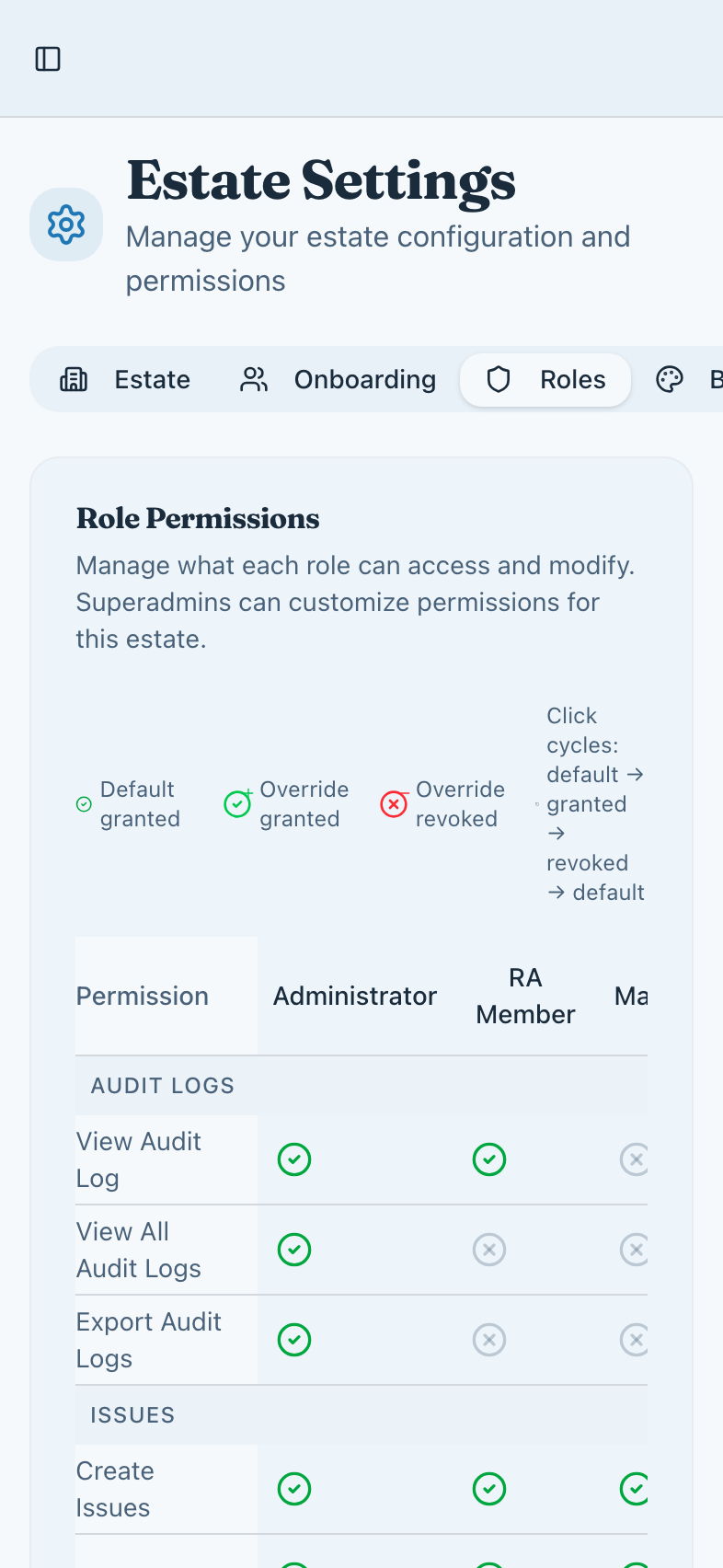
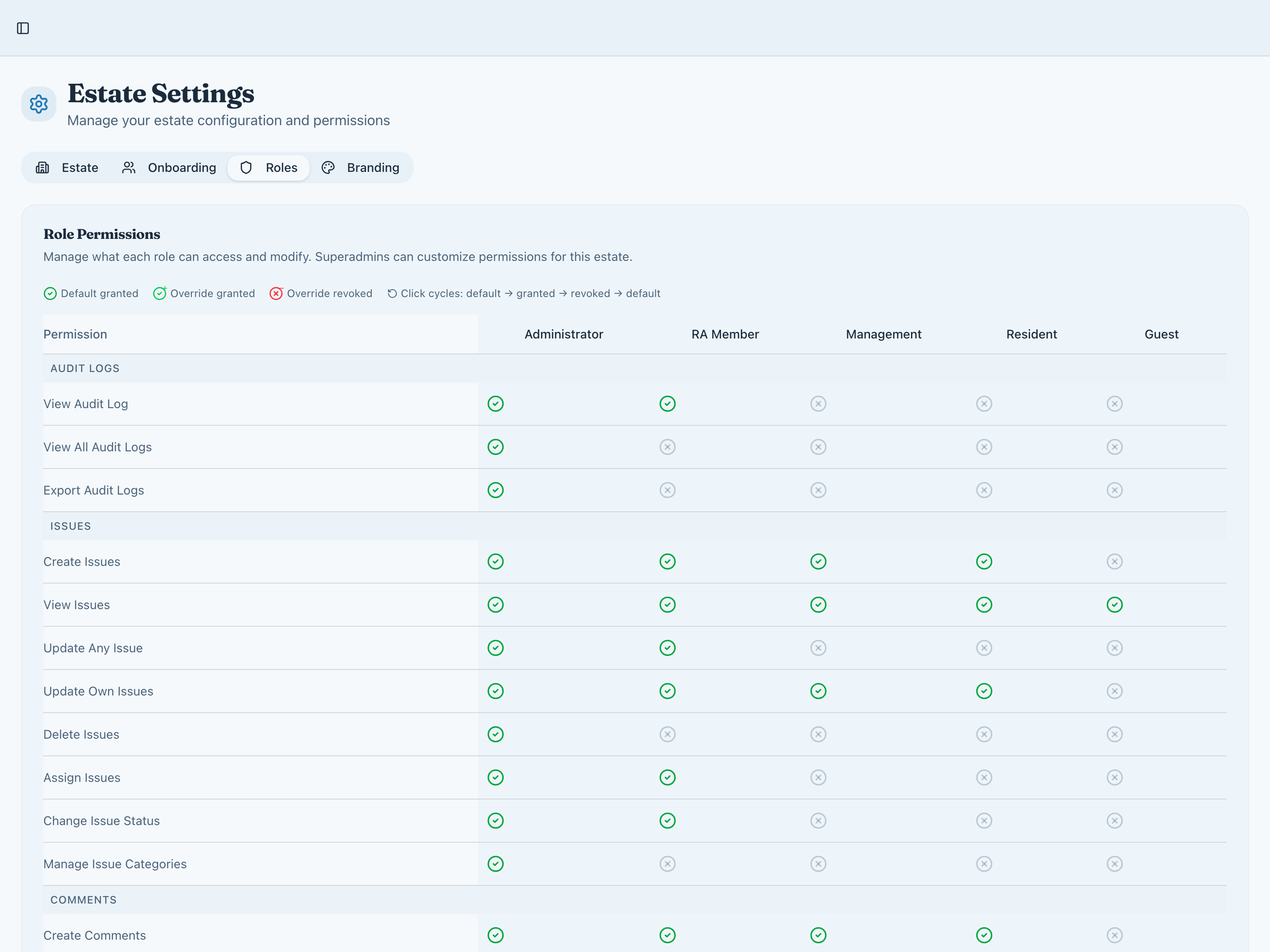
From basic resident access to full committee powers, our role system adapts to how your community operates. Permission overrides let you fine-tune exactly who can do what.
- Five roles: admin, committee, management, resident, guest
- Permission overrides for your estate
- Role-based access to sensitive features
- Clear visibility of who has what access
Numbers for the committee
Insight shows how the estate is doing: issues by status, how fast they are resolved, and how many residents take part. The activity feed and the audit log show who did what, and when.
- Overview, issues, engagement, and distribution
- An activity feed of what changed
- An audit log with old and new values
Make it feel like home
Give your community platform your own colour and logo, and every page carries them.
- Eight colour presets, or your own hex colour
- Upload your community logo
- Consistent branding across all pages
Property management
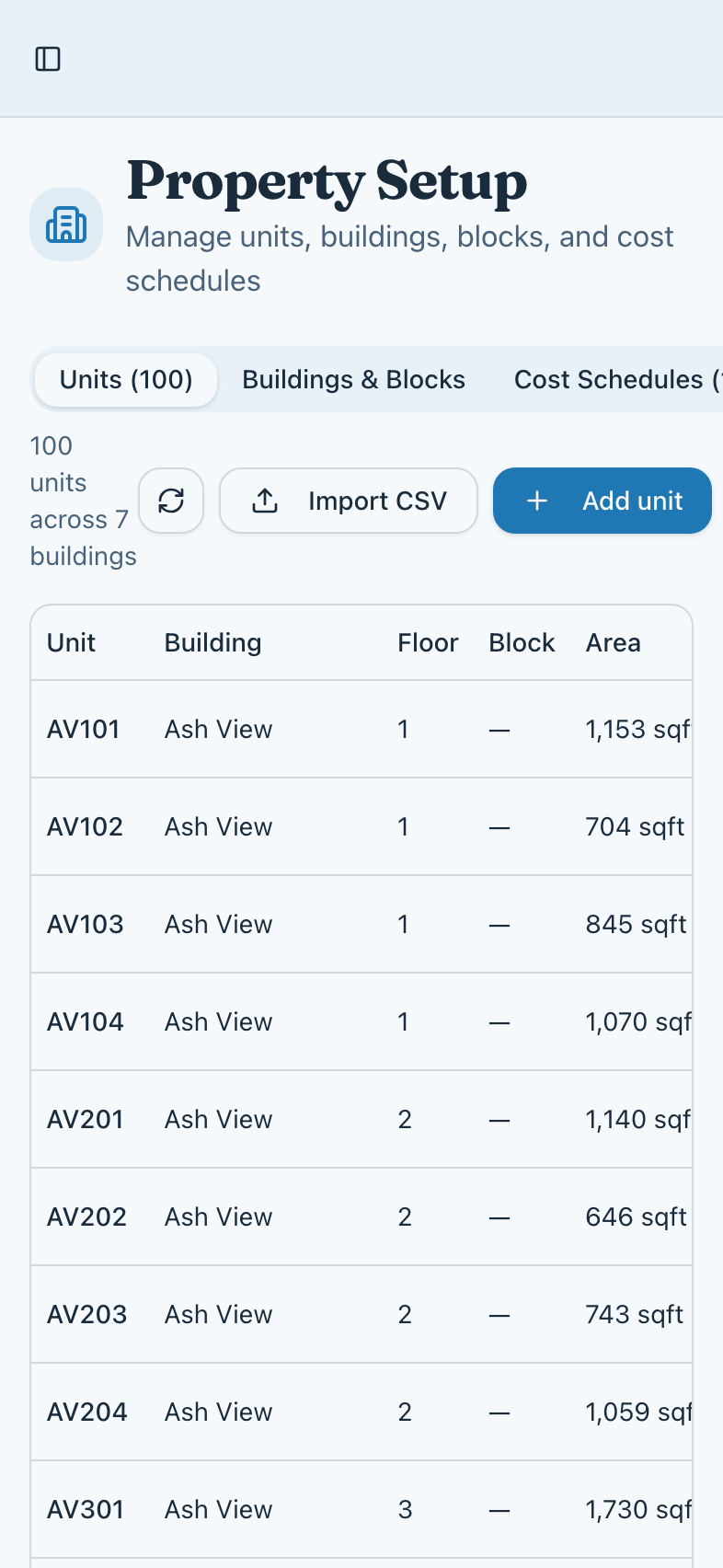
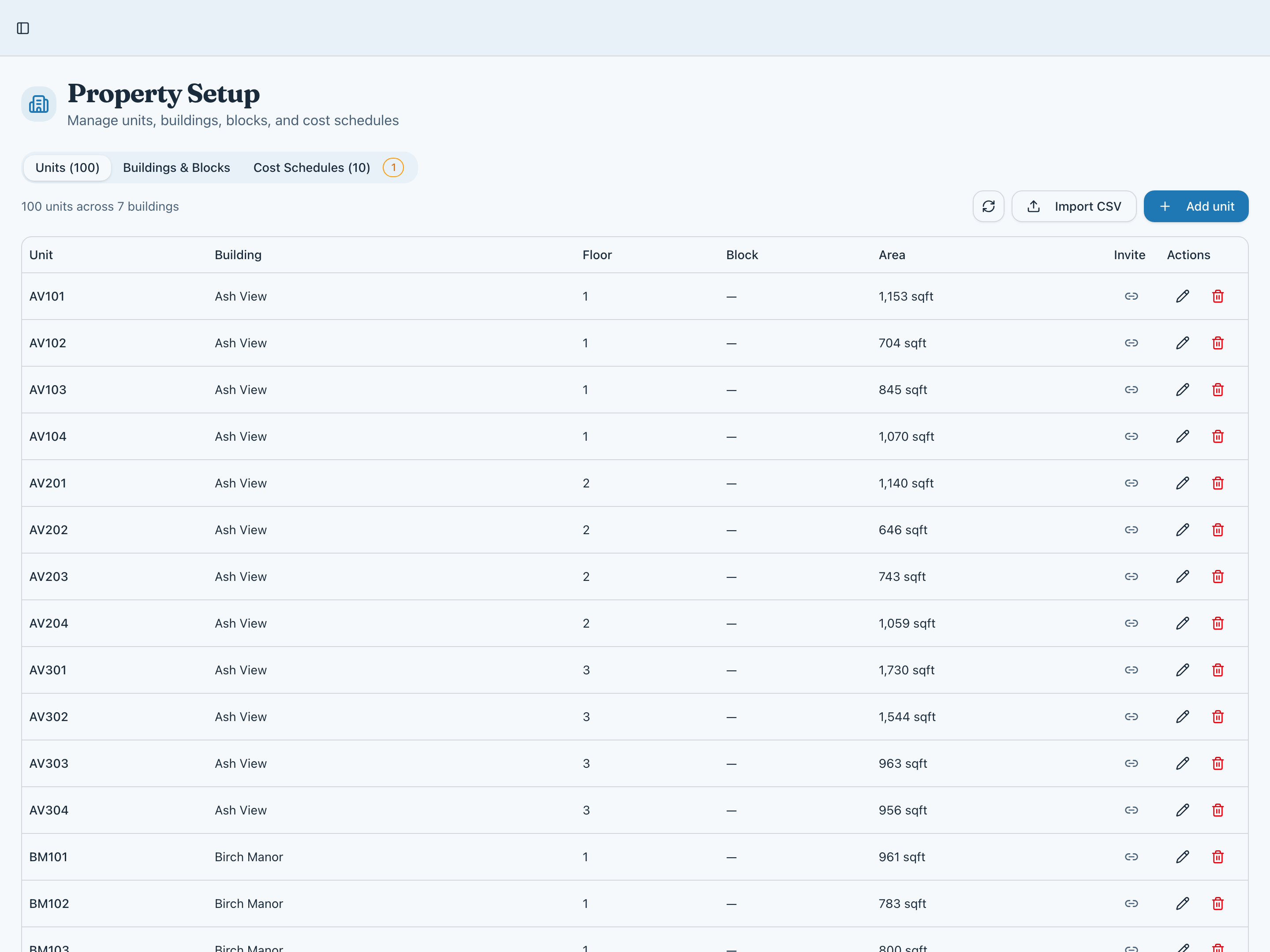
Organise your estate structure with comprehensive unit and building configuration.
- Manage units across multiple buildings
- Bulk import via CSV upload
- Set up cost allocation schedules
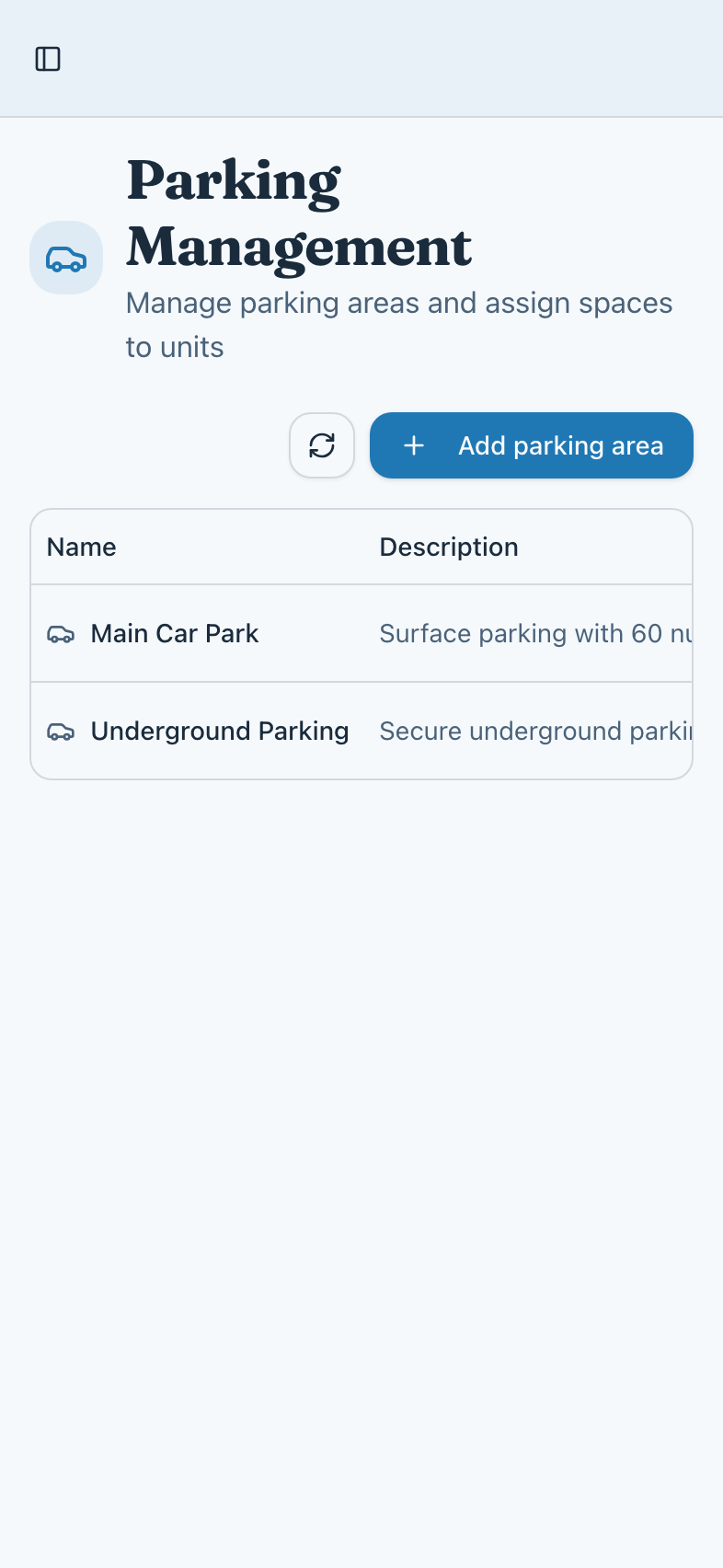
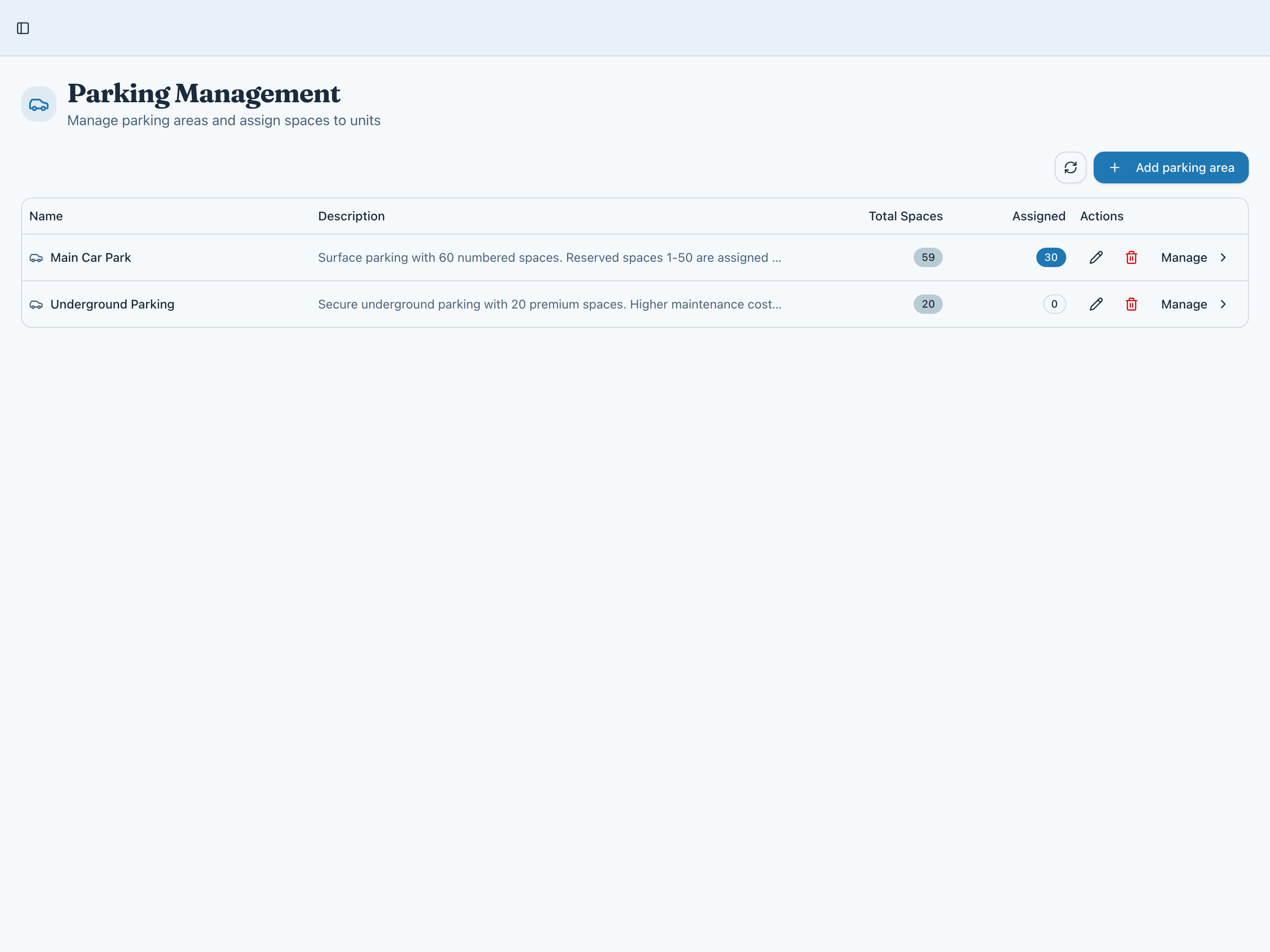
Parking allocation
Efficiently manage parking spaces and assignments across your community.
- Define multiple parking areas
- Allocate spaces to specific units
- Track available and assigned spaces
Seamless unit invitations
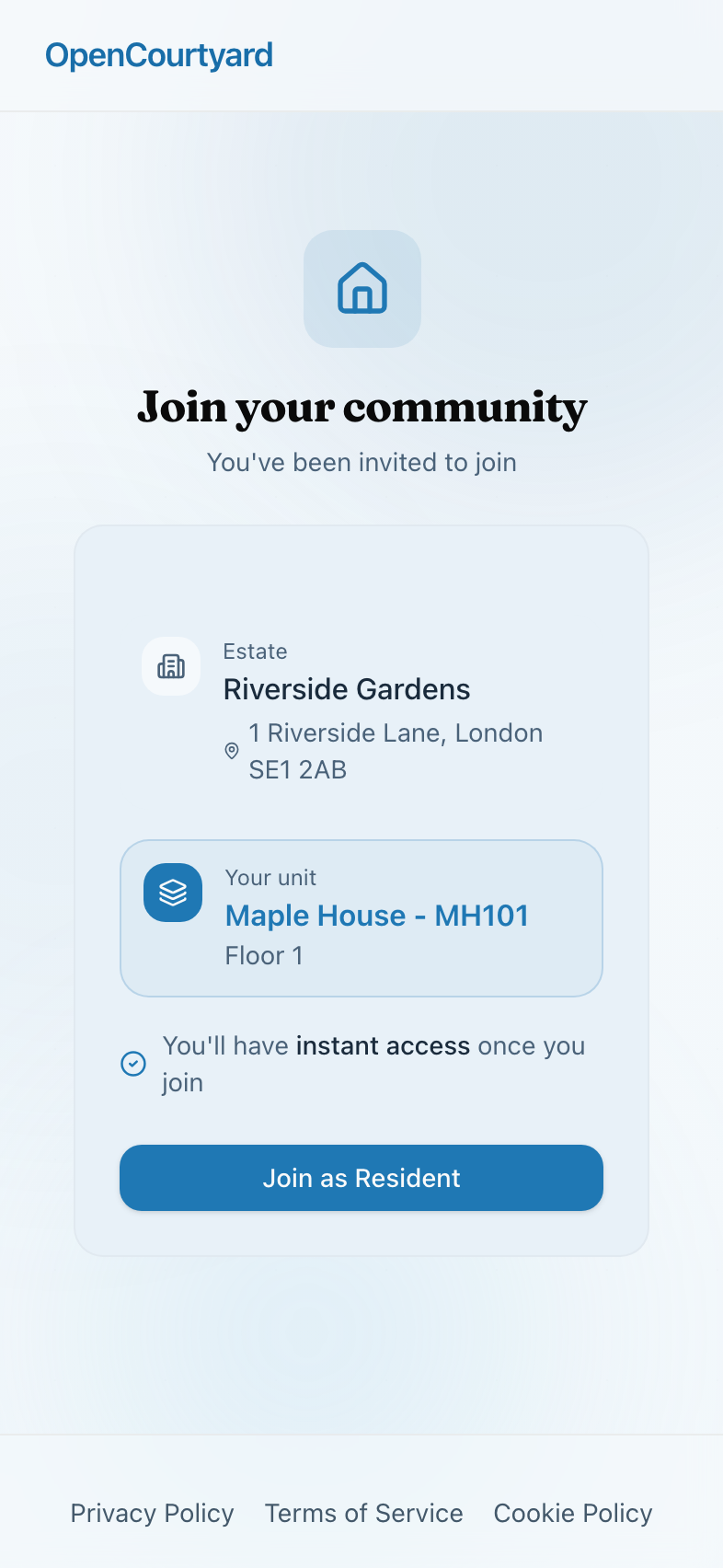
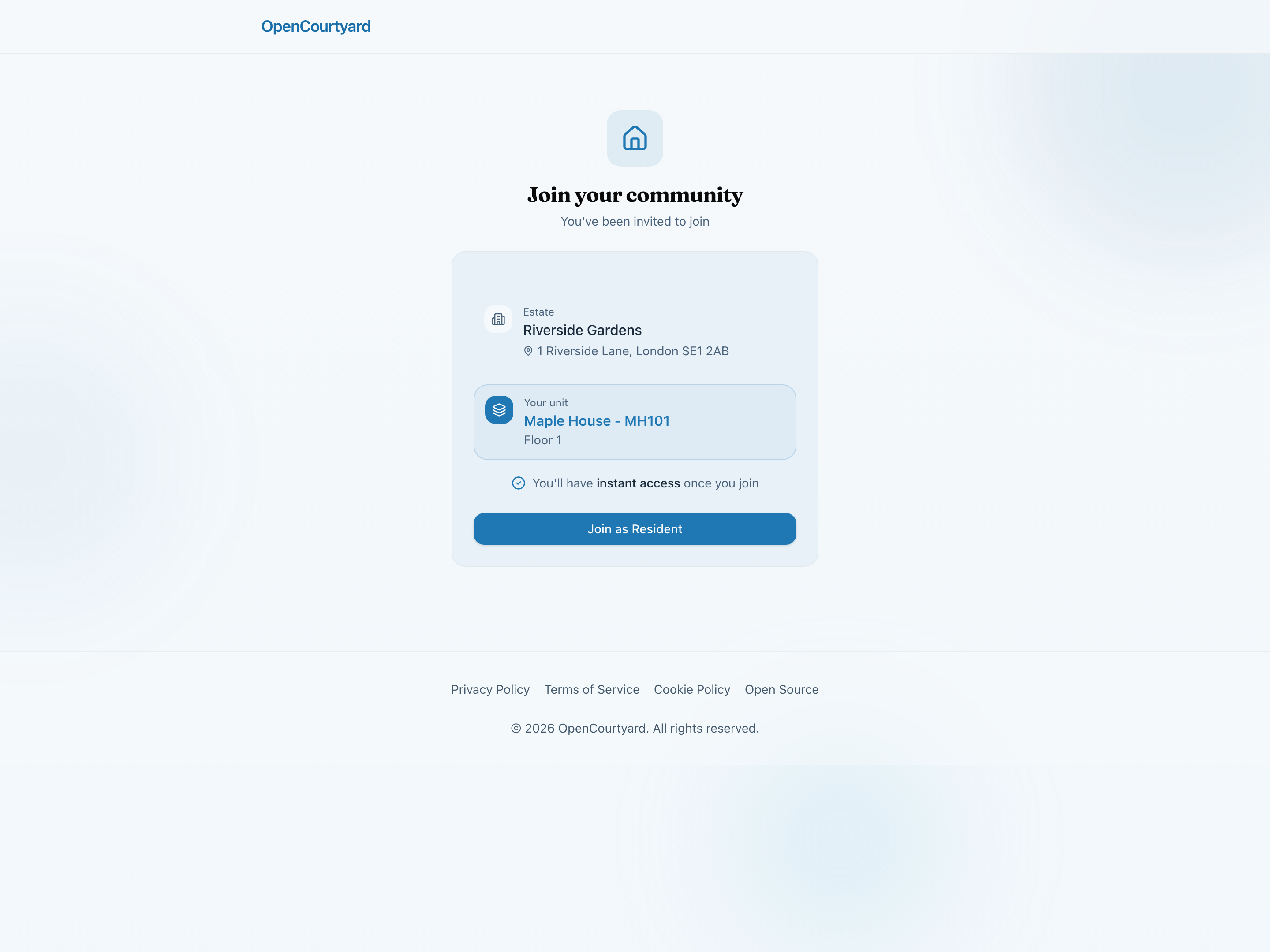
When you send a unit invitation, residents see a polished welcome page with their estate and unit details ready. One click to join—no confusion, no friction.
- Branded welcome page with estate details
- Pre-assigned unit shown clearly
- Instant access upon joining
- Works on any device
Self-registration made easy
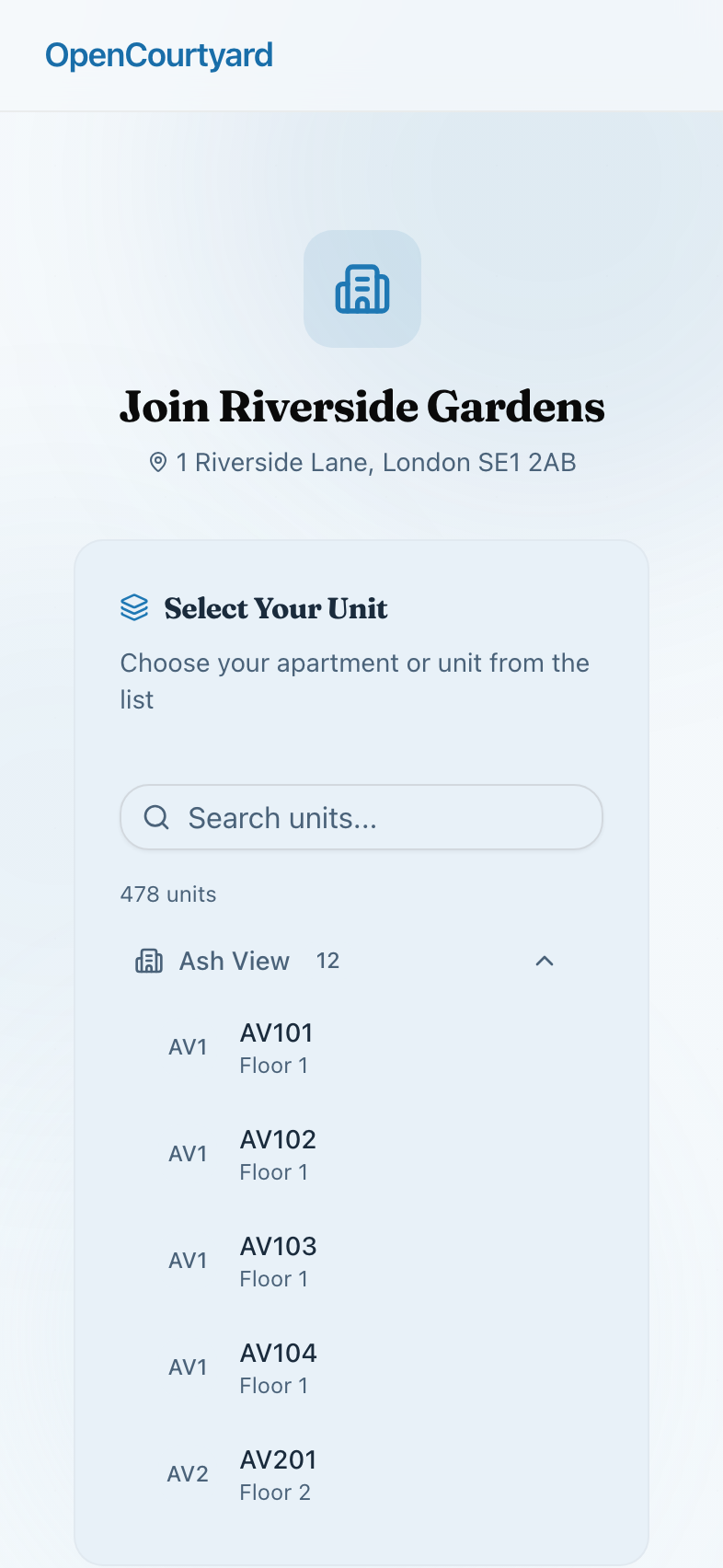
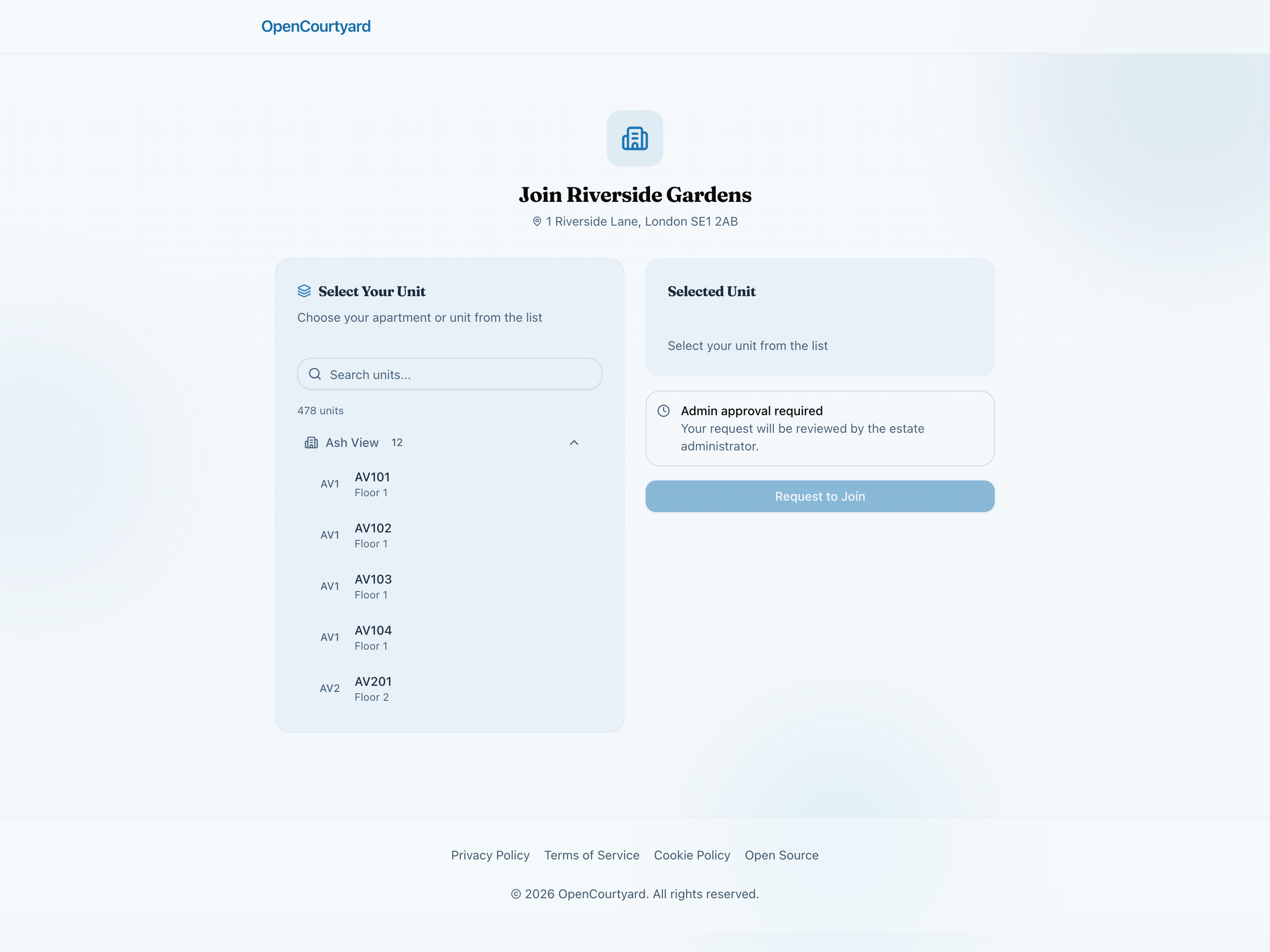
Share your estate's public link and let residents find their own unit. A searchable directory grouped by building makes selection simple, while approval workflows keep you in control.
- Searchable unit picker by building
- Clear approval process messaging
- Residents select their own unit
- Review requests before granting access
Service charges and invoices
Upload a service charge statement, process it, review it, and publish it to residents. Keep invoices beside it. Money is in alpha: it works, and it is still changing.
- Service charge statements: upload, process, review, publish
- Invoices in one place
Everything you need to manage your community
Invite members
Send invitation links to specific units or share a general estate link.Approval workflow
Review and approve new member requests before they join.Role management
Assign roles from resident to committee member to admin.Custom permissions
Fine-grained control over who can access what features.Estate settings
Configure estate-wide settings and preferences.Broadcasts
Send one message to everyone in a role or a building.Audit log
Changes recorded with who made them and the old and new values.Unit management
Manage buildings, units, and resident assignments.
Ready to run your estate in the open?
Join the Founding 5 — the first estates building a new standard for residential transparency.